Project Overview
The Product:
This is an app and website that I used to show information about exhibits, the museum, and the booking process of an art museum.
Project Duration:
November 2023 - December 2023.
Project Overview
The Goal:
Our art museum will let users connect with assistive resources, which will aο¬ect Christina by enabling her to have the full educational experience through the means of ASL and reading content. We will measure eο¬ectiveness by seeing how many people will sign up for assistive resources.
User Research: Summary
I asked what assistive resources my users would like to see in the app and website. They said they would like to know if the museum has placards. They would like to take advantage of audio tours and interactive exhibits. QR codes would be helpful as they would provide extra information. Some said they would want the hours explained. One user said he wanted to know if there were curators. Does the design of the building complement the artworks?
I had the assumption going in that most people would just want to look at the paintings without extra learning media. I never considered that people would worry about the design of the building and whether it is cohesive with the artwork.
User Research: Pain Points
Lack of Information:
A user said that there wasnβt enough information accompanying the paintings. I found a way to show options for extra learning supplements.
Design of the Building:
One user said the layout of the museum was diο¬cult. I found a way to show a blueprint of the building.
The art can be too abstract:
A user said contemporary art can be too esoteric. I will include descriptions of the art in the app.
Multiple users said they would like to know about hours:
Plenty of users were wondering how they can fit going to the museum into their schedules. I will put information about hours as the first thing in the app.
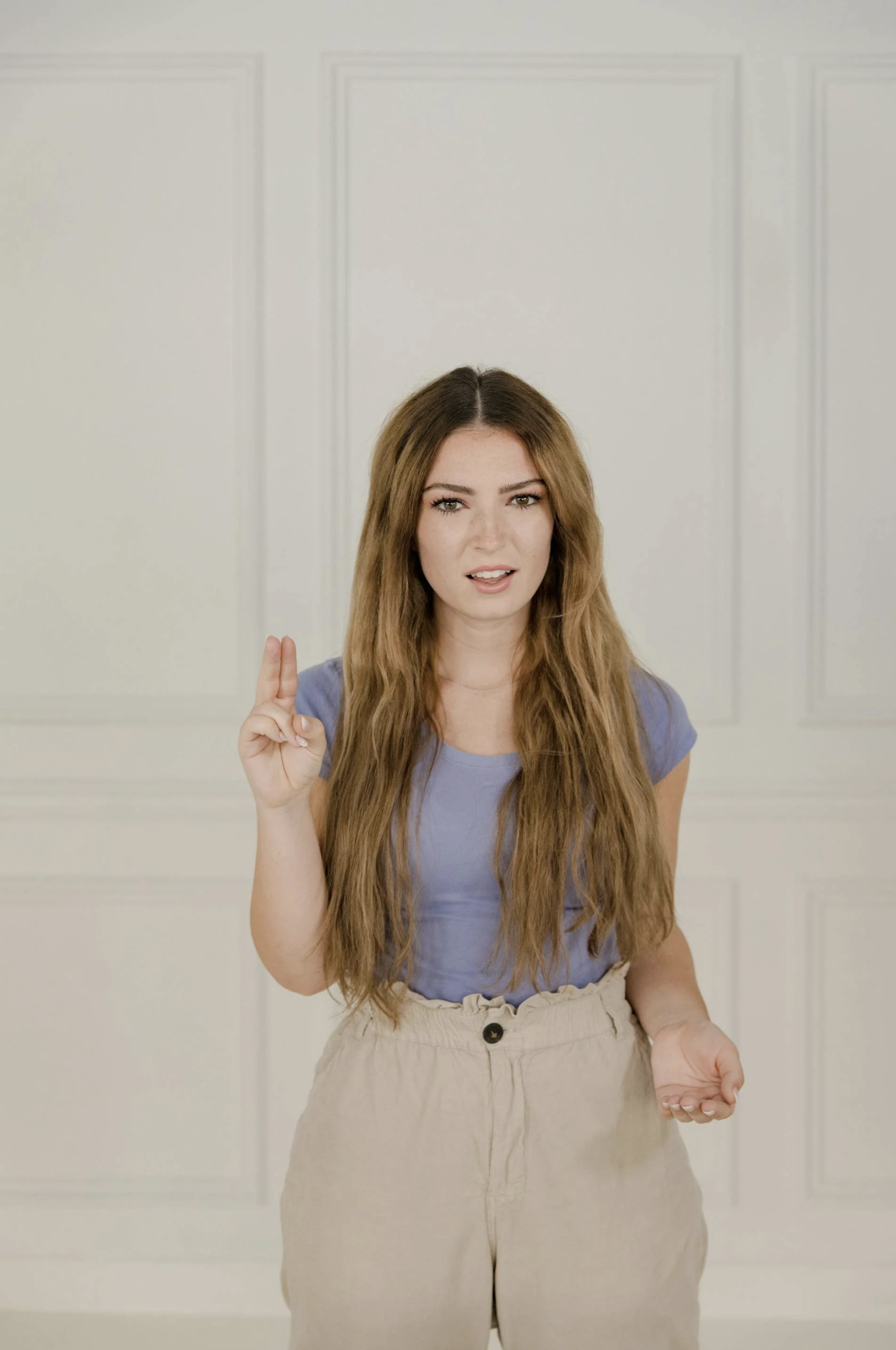
Persona: Christina
Problem Statement:
Christina is an American Sign Language teacher who needs to use an app that can connect her with assistive resources for the art exhibition since she has a hearing deficit and wants to be as informed as other visitors.
Frustrations:
Frustrated by the layout of the museum.
Frustrated that only the painter and title of the painting were by each art piece and not a description of the painting.
Galleries need more context and educational materials.
Some art galleries donβt have interactive QR codes.
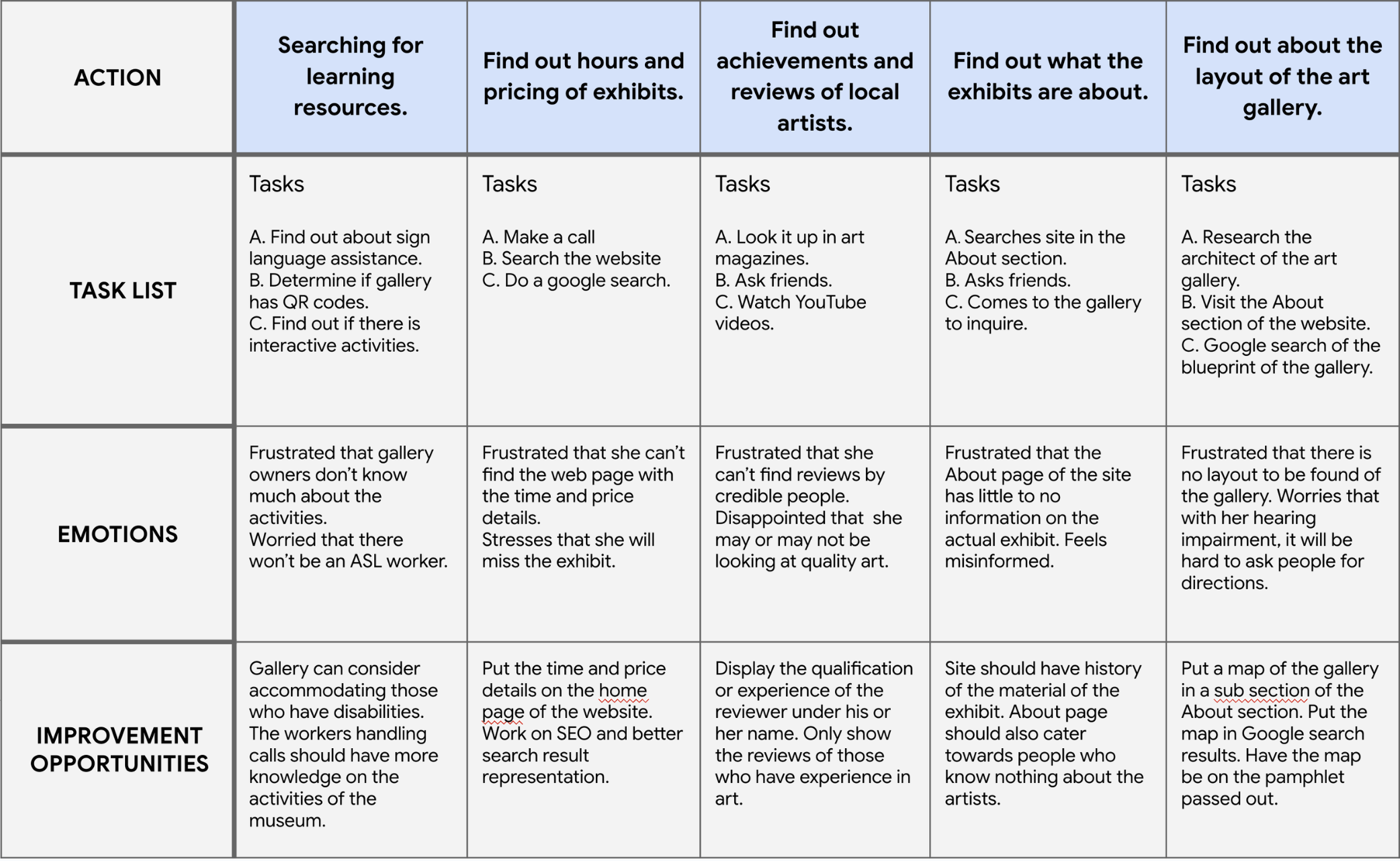
Christinaβs User Journey Map
(Tilt to view in Mobile)
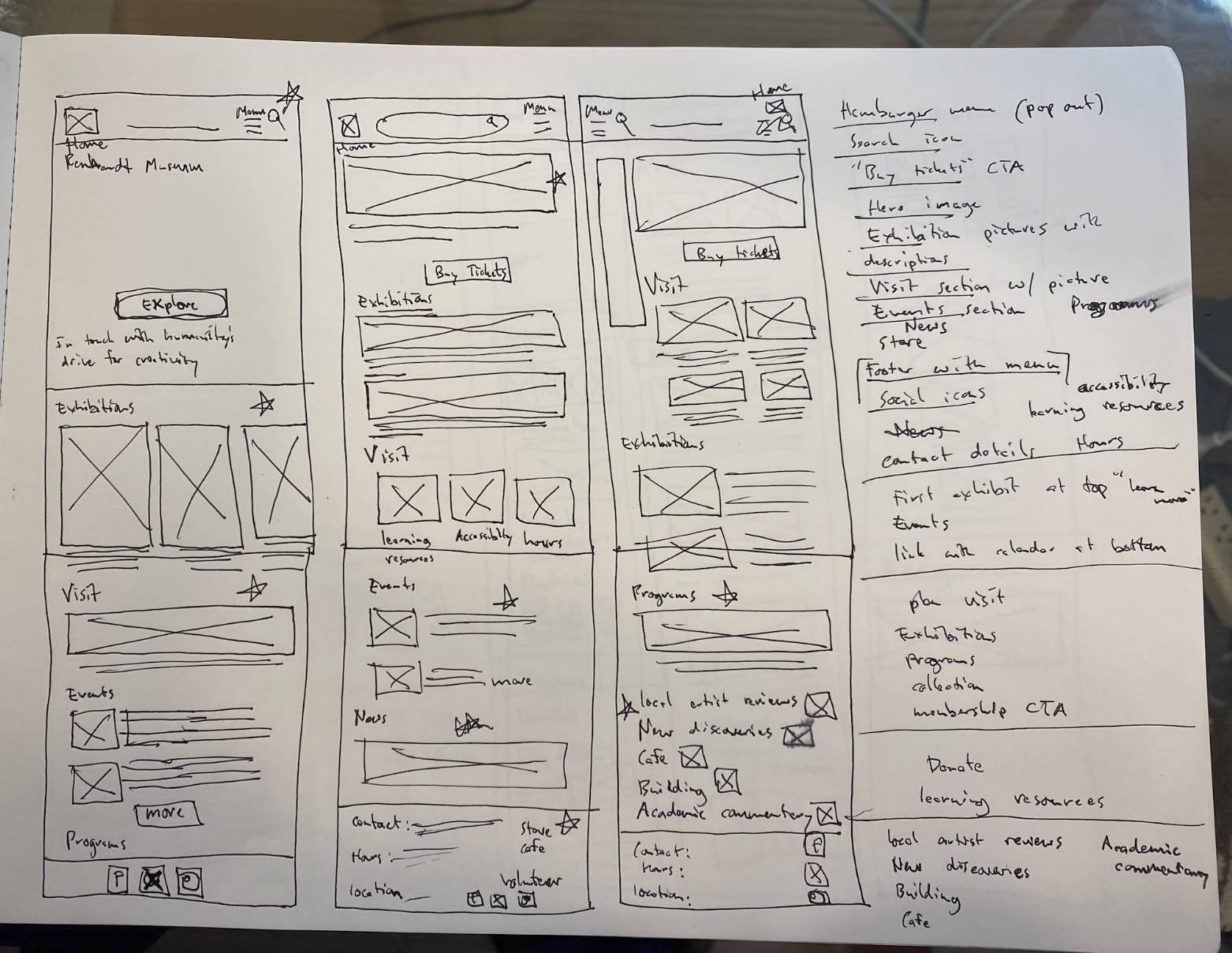
Paper Wireframes
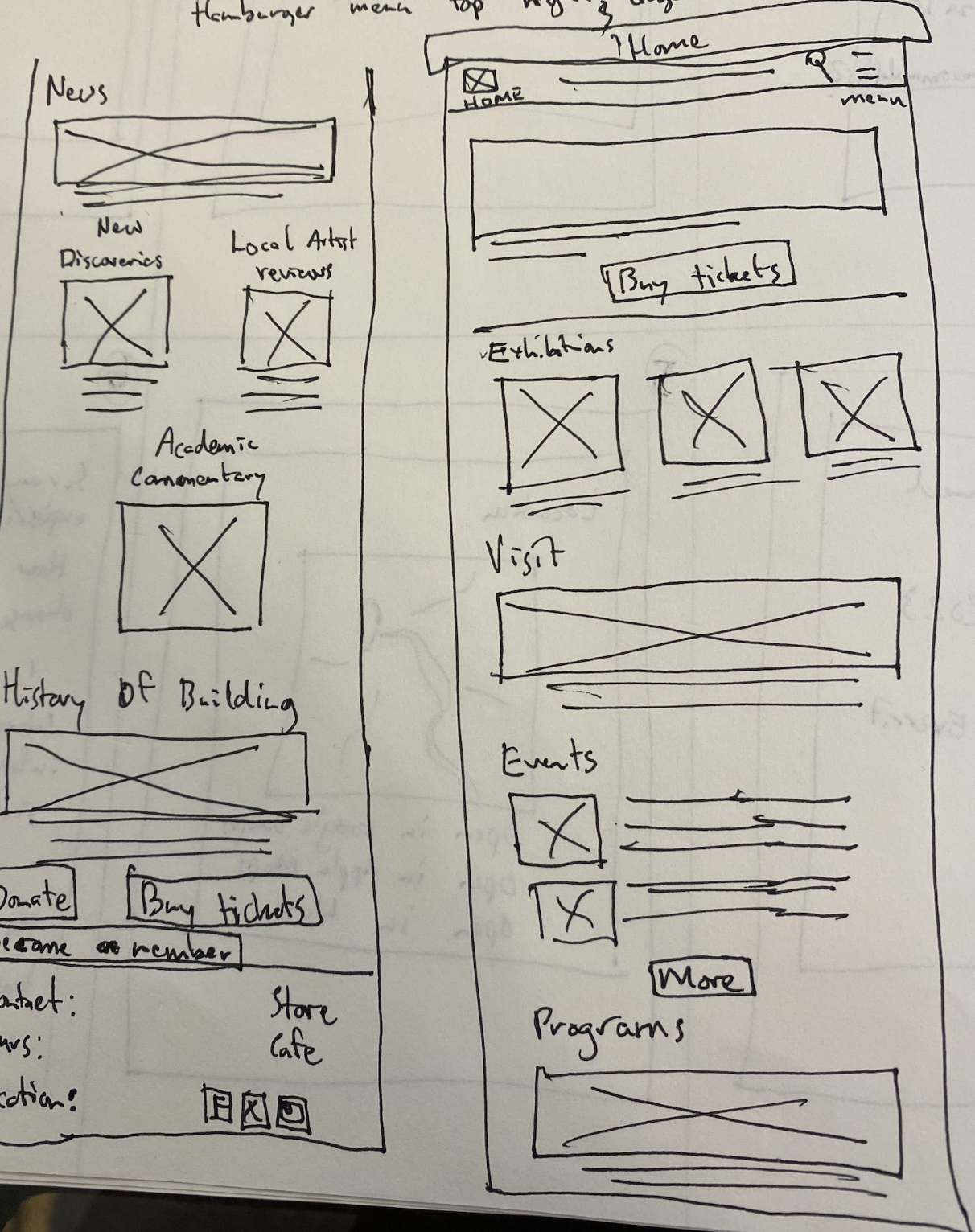
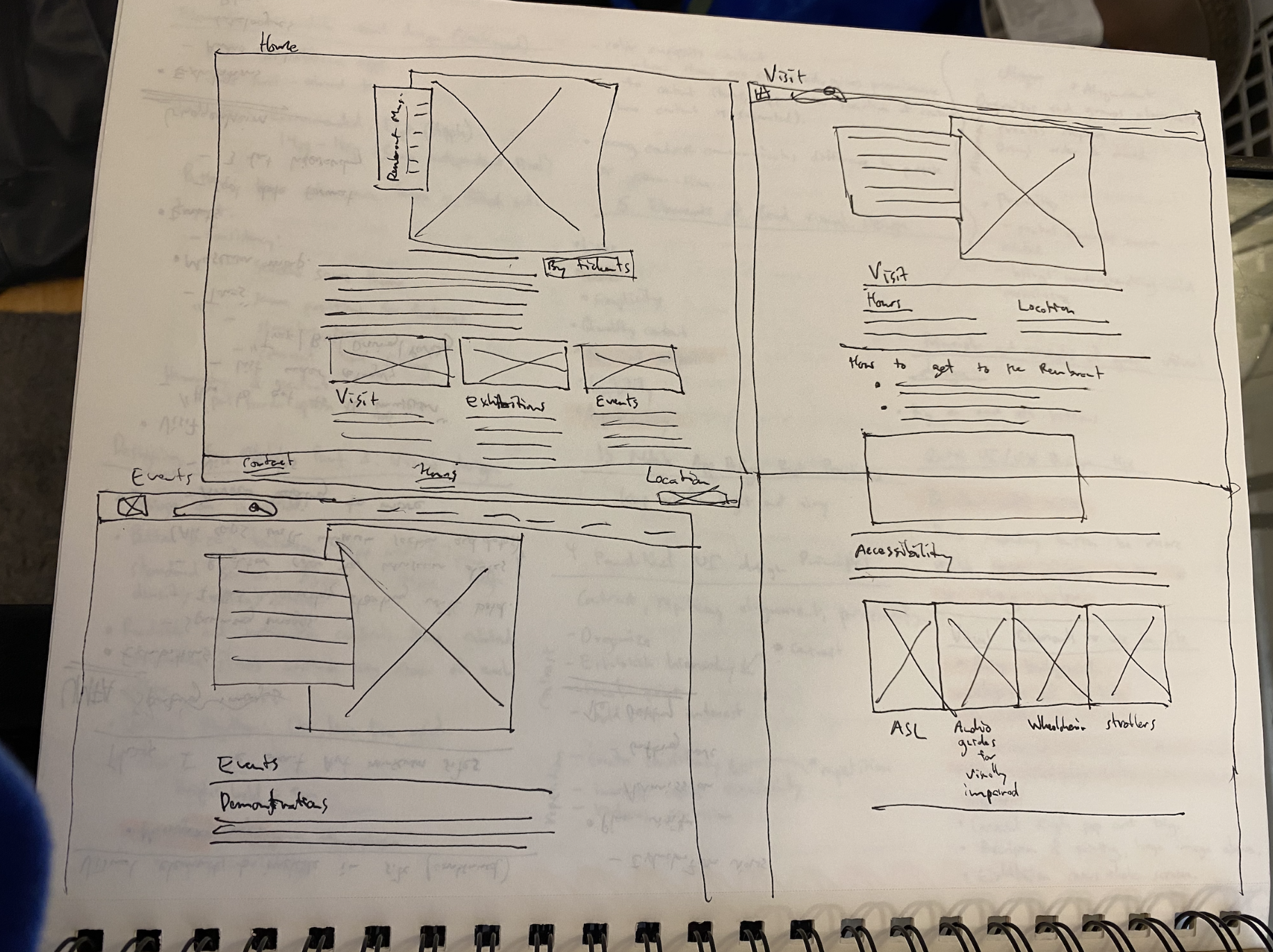
For the Mobile layouts, it is planned to have the site laid out in terms of the priority of the userβs curiosity and then action. More detailed information about the programs is offered later. I first wanted the user to book a ticket. In the mobile layout, I decided to have the visit page be the first option to let the user instantly know what he or she will be experiencing.
Digital Wireframes
The header contains the hours and location of the museum.
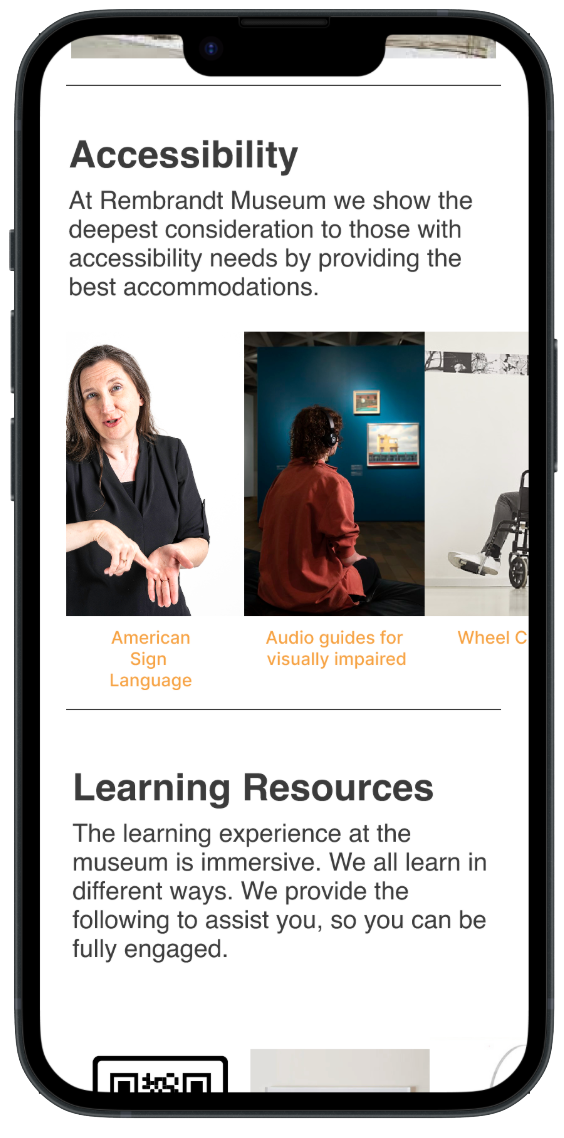
The accessibility section contains an American Sign Language option.
Section for learning resources.
The footer contains the hours and location of the museum as well.
If the user were to have prior knowledge of the art museum and wanted to go there immediately, he would want to see the hours at the top of the first page (visit page). There is an accessibility section and a section for learning resources. The hours and locations are at the bottom of plenty of pages of the site.
Digital Wireframes
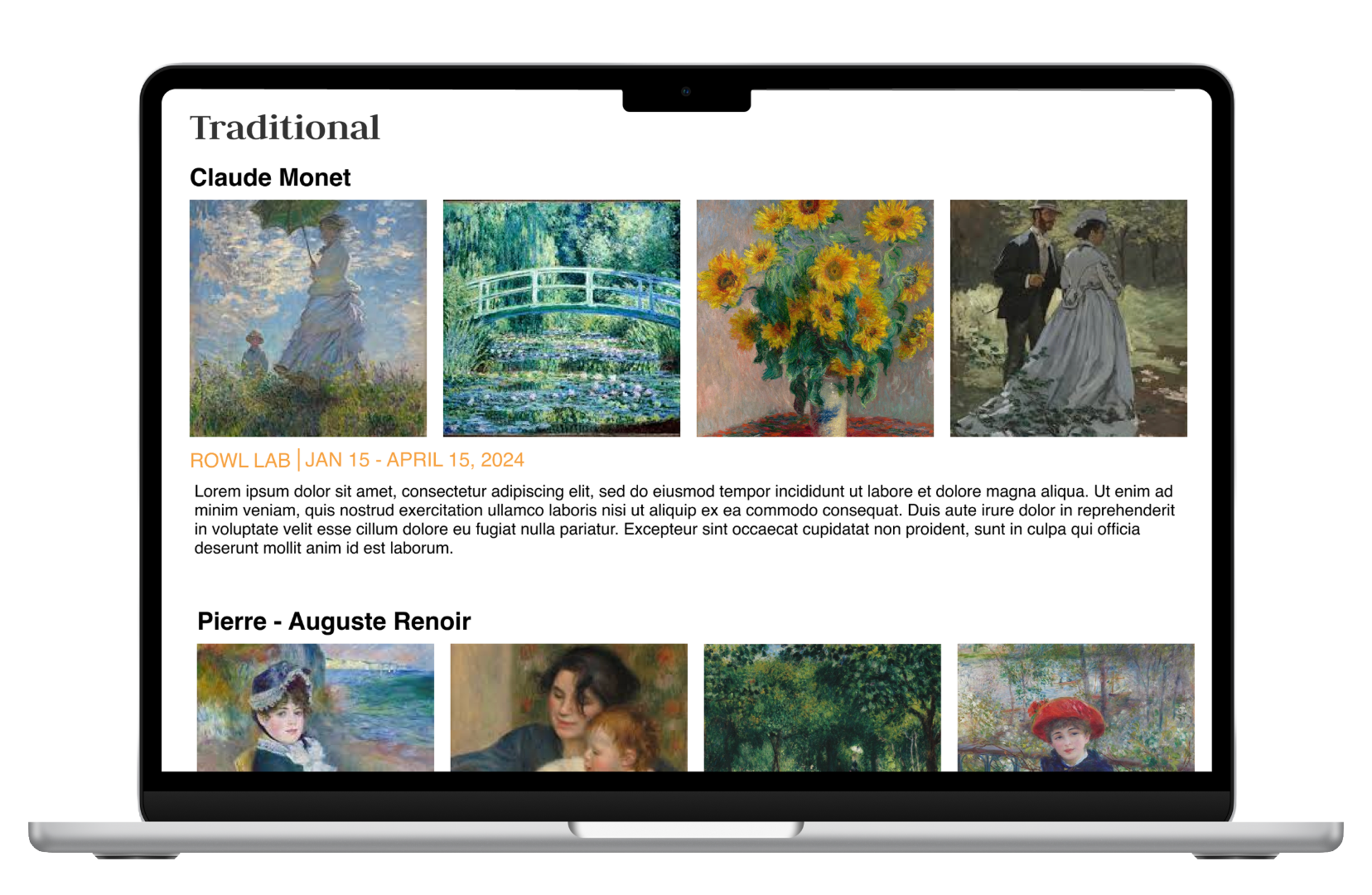
Traditional art is displayed.
I put traditional artists at the top of the list since that was the most sought after by users. There is information on contemporary artists, so the user can understand what he or she is viewing.
Contemporary art is displayed as well.
Low-Fidelity Prototype
The exhibition category is displayed on the home page. I decided to have the visit section be on the list in the menu first. Every category on the home page connects to a page with more information about it. At the bottom of every page, there is a βBuy Ticketsβ option. In the booking section, one can choose general admission, booking time frame, accessibility options, and get a ticket confirmation.
Usability Study: Findings
Round 1 findings
Include options for the visually impaired.
Prototype was broken in places.
The app was not clear on pricing for specific groups.
Round 2 Findings
Change the color scheme on the first two pages.
Missing dates under events.
Work needs to be done on the booking process.
Mockups
On the visit page, the accessibility options image boxes were too small in the frame before. I made them larger and put them in a carousel in the after section. I also did the same with the learning resources.
Before
After
Mockups
I put in information about the artists so that people could know whether their art is worth viewing. I also changed the small picture boxes to carousels with larger images so that the site can be more interactive and engaging.
Before
After
More Frames
Visiting page has hours, location, and offers directions for and mediums and suggestions for mediums of transport.
Description of many ways to immerse a visitor in the experience with audio tours and QR codes.
Events with their times offer app viewers an incentive to go the museum.
Blueprint offers a view of the museum and is a guide for the visitor to navigate themselves to see the various art pieces.
The nav bar is blue.
Some frames of checkout process
Users can choose their time frame and their group.
Users can pick the date they will be at the museum. They can pick the number of tickets and what age group they fall into.
This section of the checkout process is perfect for Christina since it lets her choose an option to have an ASL guide.
On the confirmation page, the time and date of the visit are shown. The ticket quantity is shown, and Christina is confident she will be able to get there and have an accommodated visit.
Desktop Mockups
High Fidelity Prototype
Accessibility Considerations
I had accessibility options for the visually impaired on the visit page and in the booking process.
I had accessibility options for those with hearing deficits on the visit page and in the booking process.
Takeaways
Impact: Plenty of users said I had great navigational flow. Here is a quote from one of them: βIt was intuitive, and I perused the content and managed to buy tickets".
What I learned: I learned that there were a variety of accessibility needs and subcategories of those needs in an experience. People need to be assured that the space they are going to is comfortable, and they need information on this. I also learned that prototypes must be double-checked for presentation to make sure functionality is at an optimum level.
Next Steps:
I would expand on my pages. I would do detailed research on the steps I may have forgotten on how to direct people to the museum. I would include more details on how to book.
I would include more animations. I would have slide-in transitions. I would also have color changes when elements are clicked.
I would include more accessibility results. I would include results for the visually impaired and for those in wheelchairs. I would ensure that people with these needs have the option to request human help during their visit.